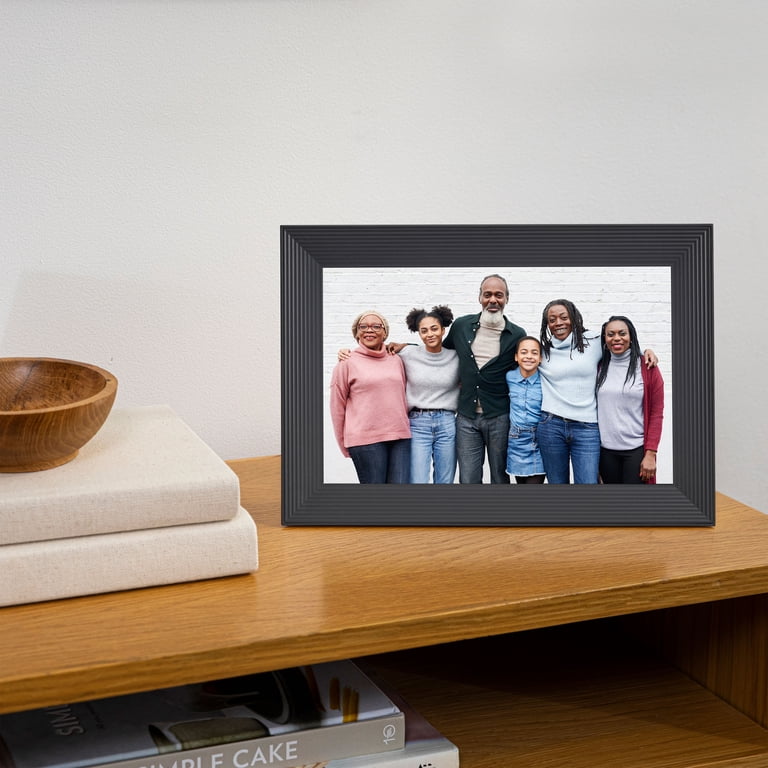
A grandparent in another state can miss an entire season of school concerts, weekend games and family dinners without missing a single text message. Photos arrive on phones and then disappear into a busy conversation. A good digital photo frame changes that routine by putting new memories somewhere they will be noticed every day. The best digital photo frames differ most in how relatives send pictures, whether photos remain available offline, and whether extra features carry a subscription. We compare ten specific frames for long-distance families, grandparents, gift giving, larger rooms and local storage, including choices for people who prefer email to apps.
Rather than choosing by screen size alone, consider who will maintain the photo collection and how the frame fits the recipient’s home. A beautifully matted frame may be perfect for a living-room shelf, while a simple touchscreen that accepts emailed pictures can be more useful in a busy kitchen.
Quick Picks
- Aura 10-inch HD Wi-Fi Frame (Black) — easy family photo sharing
- Skylight Frame 10-inch (Black) — grandparents who prefer email
- Pastigio Frameo 15.6-inch FHD Frame (32GB) — a larger living-room display
- Dragon Touch Classic 10 Wi-Fi Frame — touch controls and removable media
- Cozyla Frame 10.1-inch Wi-Fi (Black) — remote gift preparation
How We Selected These Digital Photo Frames
We compared manufacturer documentation, identified US product listings, display and sharing features, onboard storage, setup requirements, service costs and practical tradeoffs. The models below cover different household needs rather than a single brand’s lineup. These are research-based comparisons, not claims of hands-on product testing. Manufacturer and seller offerings can change, and app features may differ from hardware features.
Digital Photo Frames Compared: 10 Models
Buying tip: Before gifting a connected frame, decide who will handle the first Wi-Fi connection and invite family members to contribute pictures.
| # | Photo | Model | Best for | Key details | Offer |
|---|---|---|---|---|---|
| 1 |  |
Aura 10-inch HD Wi-Fi Frame (Black) | Easy family photo sharing | 10-inch class; App-based invitations; cloud library | Check price |
| 2 | 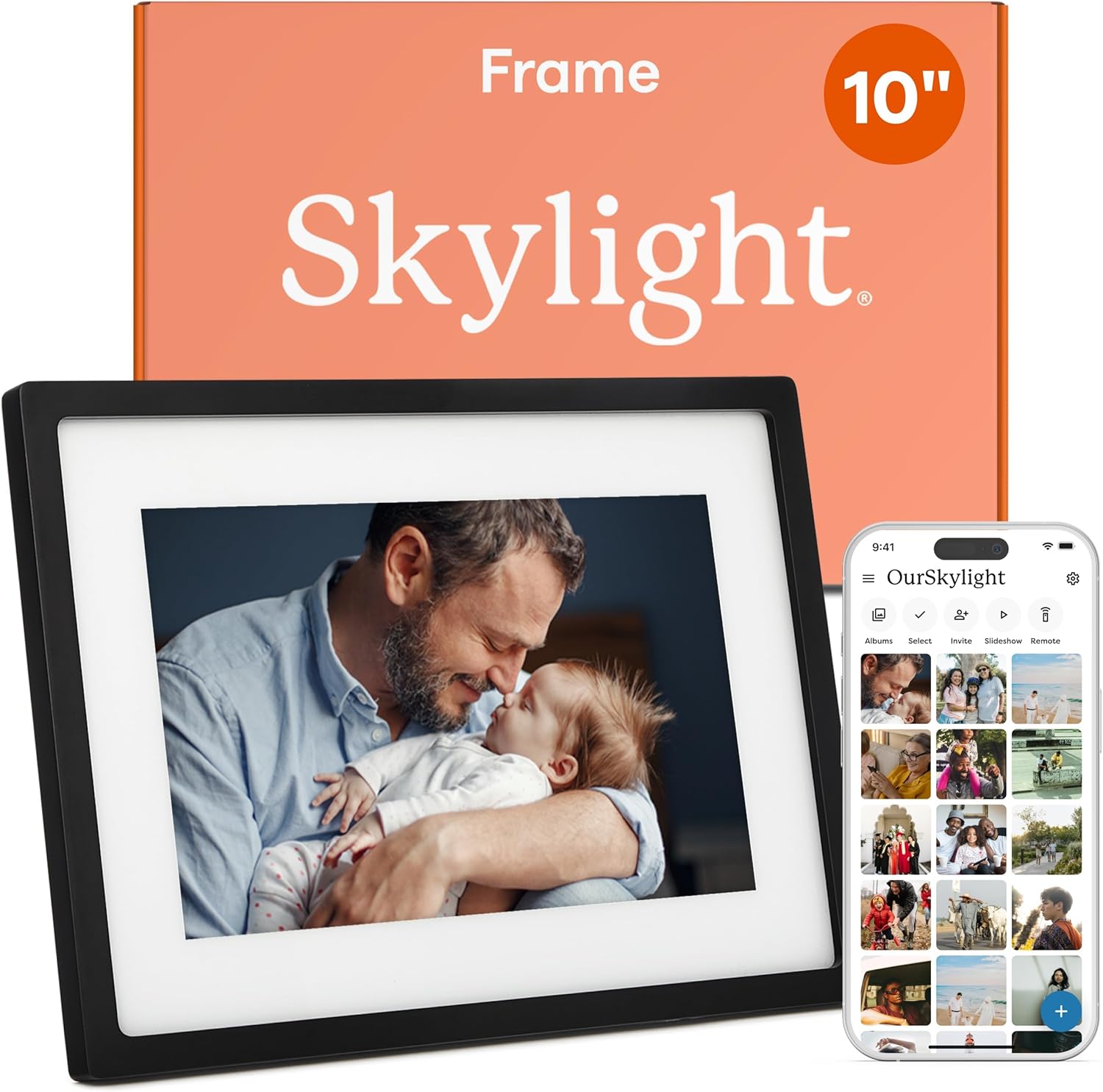 |
Skylight Frame 10-inch (Black) | Grandparents who prefer email | 10-inch; Dedicated email address; touch display | Check price |
| 3 |  |
Frameo 10.1-inch Wi-Fi Frame with 32GB | Local storage and family app | 10.1-inch; 32GB; Frameo sharing; auto-rotate | Check price |
| 4 |  |
Pastigio Frameo 15.6-inch FHD Frame (32GB) | A larger living-room display | 15.6-inch; 1920×1080; 32GB; wall or tabletop | Check price |
| 5 |  |
Dragon Touch Classic 10 Wi-Fi Frame | Touch controls and removable media | 10.1-inch; Wi-Fi; USB/SD options; auto-rotate | Check price |
| 6 |  |
Pix-Star 10-inch Wi-Fi Cloud Frame (PXT510WR08) | Email and computer-based sharing | 9.7-inch class; Email sharing; USB/SD; motion sensor | Check price |
| 7 |  |
Cozyla Frame 10.1-inch Wi-Fi (Black) | Remote gift preparation | 10.1-inch; Gift mode; email/web/app uploads | Check price |
| 8 |  |
Aura Carver Mat 10.1-inch (Gravel Mat) | A framed-photo look | 10.1-inch; Matted border; Aura family sharing | Check price |
| 9 |  |
AEEZO 10.1-inch AiMOR Digital Frame (Black) | A straightforward touch display | 10.1-inch; AiMOR app; 32GB; touch controls | Check price |
| 10 |  |
Frameo 15.6-inch FHD Frame with 64GB | Large screen with more local capacity | 15.6-inch; 64GB; 1920×1080; Frameo app | Check price |
Product descriptions reflect the identified variants. Storage, software plans and included accessories can vary by seller or revision.
1. Aura 10-inch HD Wi-Fi Frame (Black) — Easy family photo sharing
Check the latest price on Amazon
A photo frame becomes much more interesting when relatives keep adding pictures after the gift has been opened. This black Aura HD Wi-Fi frame is designed around that habit: invite trusted family members into the Aura app and let the display evolve as new photos arrive. It is an especially sensible choice for grandparents who would rather see pictures appear than manage folders on a computer. The tradeoff is that the system is deliberately cloud- and app-centered. A household that wants to move files with a USB stick, or that dislikes relying on a continuing online service, may be happier with a locally stored frame. Also consider where it will sit: a landscape-oriented display is convenient for group photos, but upright portraits may need pairing or cropping. Compared with a cheaper generic frame, the reason to consider Aura is the shared-photo experience, not an assumption that every photo will look better.
Display: 10-inch class. Why it stands out: App-based invitations; cloud library.
2. Skylight Frame 10-inch (Black) — Grandparents who prefer email
Check the latest price on Amazon
The biggest obstacle to a family photo frame is often not the display; it is persuading everyone to use the same app. Skylight approaches that problem with a dedicated email address for the frame. A sibling can forward a picture from a laptop while another sends one from a phone, making this a practical digital photo frame for grandparents who want the finished result without learning several sharing tools. The 10-inch touchscreen also lets the recipient interact with the slideshow directly. Pay close attention to the distinction between basic photo delivery and optional paid features: Skylight has offered additional video and management capabilities through its Plus service, so a buyer should not assume every advertised feature is included at no charge. This model is best when simple contributions from many senders matter more than advanced local-file management. It is less ideal for a home that cannot maintain Wi-Fi during setup and ongoing sharing.
Display: 10-inch. Why it stands out: Dedicated email address; touch display.
3. Frameo 10.1-inch Wi-Fi Frame with 32GB — Local storage and family app
Check the latest price on Amazon
Not every family wants its photo collection to depend entirely on a cloud account. This 10.1-inch Frameo-compatible model combines app-based sending with listed 32GB onboard storage, an appealing middle ground for someone who wants remote contributions and a local slideshow. The touch interface and automatic rotation can be useful when the frame moves from a horizontal sideboard to a narrow vertical shelf. There is an important distinction here: Frameo is a sharing platform used by multiple hardware brands, not a promise that all frames bearing its name have identical screens, speakers or support. Compare the actual seller and device warranty as carefully as the app name. Frameo’s core photo sending is free, while larger batches, longer clips and some remote-management features belong to optional paid plans. For a household with modest storage needs and relatives comfortable installing an app, this model offers a useful balance without demanding a premium-brand price.
Display: 10.1-inch. Why it stands out: 32GB; Frameo sharing; auto-rotate.
4. Pastigio Frameo 15.6-inch FHD Frame (32GB) — A larger living-room display
Check the latest price on Amazon
A ten-inch frame can disappear visually on a long sideboard. This 15.6-inch Pastigio-style Frameo display is aimed at rooms where family pictures should be visible from a sofa rather than only from arm’s length. Its listed Full HD panel and 32GB storage distinguish it from smaller 1280-by-800 models, but the larger size is not automatically a better gift. Measure the destination shelf, decide whether a wall mount is realistic, and check how much glare the room receives in daylight. The Frameo app provides a familiar way for relatives to send photos, though the free service has limits on video length and batch size. The larger screen may reveal blurry or heavily compressed older images more clearly, so prepare good-quality originals when possible. Choose this version for a family room or hallway where display size matters; for a small bedside table, a compact ten-inch frame is easier to accommodate.
Display: 15.6-inch. Why it stands out: 1920×1080; 32GB; wall or tabletop.
5. Dragon Touch Classic 10 Wi-Fi Frame — Touch controls and removable media
Check the latest price on Amazon
Dragon Touch’s Classic 10 is a useful option when the family already has photos on a memory card or USB drive. The manufacturer describes both removable-media access and Wi-Fi sharing, giving this model a different ownership pattern from cloud-only frames. That flexibility can help someone transferring years of scanned pictures from a computer, particularly if they do not want to upload everything through a phone. The touch display and automatic rotation also make it adaptable to a desk or hallway shelf. Be careful with model revisions: older Classic 10 listings describe different onboard storage capacities than some newer versions, so do not assume that a specification for today’s manufacturer page applies to every older listing. Its 2.4 GHz Wi-Fi requirement also matters in homes with unusual router settings. This is a better fit for a hands-on organizer of family albums than for someone who wants a fully managed service with almost no setup decisions.
Display: 10.1-inch. Why it stands out: Wi-Fi; USB/SD options; auto-rotate.
6. Pix-Star 10-inch Wi-Fi Cloud Frame (PXT510WR08) — Email and computer-based sharing
Check the latest price on Amazon
A person who organizes photos on a laptop may prefer a frame that accepts email, memory cards and online albums rather than forcing everything through a smartphone. This older Pix-Star 10-inch model is worth comparing for that reason. The listed version has a roughly 9.7-inch 4:3 display, motion-sensor behavior and several ways to receive pictures. The squarer screen shape can work nicely for older camera photographs that look cramped on a wide display. It is important not to confuse this product with Pix-Star’s newer LUX 10, which has updated connectivity and storage specifications. Buying an older listing requires special care around seller support, firmware availability and whether the device is new or refurbished. For a family comfortable maintaining a small digital album from a computer, its multiple input methods are the attraction. For a first-time gift with the least setup friction, the simpler email-focused Skylight may be more approachable.
Display: 9.7-inch class. Why it stands out: Email sharing; USB/SD; motion sensor.
7. Cozyla Frame 10.1-inch Wi-Fi (Black) — Remote gift preparation
Check the latest price on Amazon
A frame sent directly to a relative is more personal when the first photographs are already waiting for them. Cozyla emphasizes remote gift preparation: the sender can arrange pictures and a greeting before the recipient opens the package. That makes it particularly attractive for a long-distance birthday or holiday gift, when the giver cannot visit to set up the device. The company’s system also offers several upload routes, including email, a web browser and a mobile app, which can reduce friction for a large family. Unlike a straightforward USB slideshow, however, the overall experience relies on Cozyla’s software and cloud service. Check the exact color and package configuration of this black ten-inch listing rather than assuming every Cozyla frame is identical. Its strength is collaborative gifting with minimal in-person setup; its drawback is the dependence on a particular service continuing to operate and remain convenient for the recipient.
Display: 10.1-inch. Why it stands out: Gift mode; email/web/app uploads.
8. Aura Carver Mat 10.1-inch (Gravel Mat) — A framed-photo look
Check the latest price on Amazon
Some digital frames look like gadgets even when they are showing treasured family portraits. The Aura Carver Mat in its gravel-and-mat finish is intended to blend into a room more like a conventional photograph. Its decorative border is the primary reason to choose it over a plain black screen; the underlying sharing concept remains the familiar Aura app and invited contributors. This makes it an appealing housewarming or anniversary gift for someone who values the look of a side table as much as the technology on it. The tradeoff is physical footprint: a mat and frame surround occupy space that could otherwise hold a larger screen. It is also not the right product for a person who expects to insert a memory card and manage pictures offline. If the recipient likes a traditional framed-photo aesthetic and has reliable Wi-Fi, this version earns its place for presentation rather than a dramatic change in features.
Display: 10.1-inch. Why it stands out: Matted border; Aura family sharing.
9. AEEZO 10.1-inch AiMOR Digital Frame (Black) — A straightforward touch display
Check the latest price on Amazon
If the goal is to display everyday family pictures without paying for an elaborate decorative frame, AEEZO’s ten-inch AiMOR model is worth a look. The listed 1280-by-800 touchscreen and 32GB storage are useful fundamentals, and the companion AiMOR app lets invited relatives send photos from other locations. That makes it a reasonable fit for a kitchen counter or home-office shelf where people will see a rotating collection throughout the day. There is a practical setup consideration: AiMOR is its own sharing environment, so relatives already using Frameo or Aura cannot assume the same invitations and app will work. The manufacturer’s descriptions also distinguish short video clips from longer recordings, an important detail for families expecting to send complete school performances. Its strongest appeal is a familiar touchscreen-and-app formula without many unusual features. Choose it when a simple family slideshow is enough, and compare warranty terms and current seller support before committing.
Display: 10.1-inch. Why it stands out: AiMOR app; 32GB; touch controls.
10. Frameo 15.6-inch FHD Frame with 64GB — Large screen with more local capacity
Check the latest price on Amazon
This 15.6-inch Frameo-compatible frame is for a household that wants a substantial display and expects to keep a large photo collection on the device. Its advertised 64GB storage is the key difference from many 32GB large-screen models, while the Full HD panel makes it a candidate for a family room where pictures will be viewed from farther away. Storage capacity alone does not tell you how good the screen will look, however. Check brightness, viewing angles and the quality of the photos you plan to load; a huge archive of low-resolution images can still look soft on a larger display. As with other Frameo-based products, the sharing app is a common platform used by multiple hardware sellers, so support policies can vary even when the software looks familiar. Choose this version when you genuinely need the extra local capacity. If your family only sends occasional phone pictures, a smaller model may be easier to place and manage.
Display: 15.6-inch. Why it stands out: 64GB; 1920×1080; Frameo app.
Frequently Asked Questions
Can family members add photos from different cities?
Yes, on internet-connected models that support remote sharing. The sender usually uses the frame’s app, a dedicated email address, or a manufacturer web portal. The recipient’s frame must be connected to Wi-Fi to receive new pictures.
What is the easiest digital photo frame for seniors?
A frame with a simple email workflow can reduce the number of apps relatives need to learn. Skylight is one option; an Aura frame can also be convenient when another family member handles setup and invitations. Ease depends on the recipient’s habits, not just the screen.
Do digital photo frames work without Wi-Fi?
Many can continue displaying photos already stored locally, but cloud-dependent frames may need Wi-Fi for initial setup or new uploads. Check the specific model’s offline behavior and whether it supports USB or SD-card imports.
Is Frameo free, and can it play videos?
Frameo provides free basic photo sharing and short video sending. Longer clips, larger sending batches and some remote controls are offered through optional paid upgrades. Hardware storage and video support can differ among frame manufacturers.
Should I buy a 10-inch or 15-inch digital photo frame?
Choose ten inches for a desk, kitchen counter or bedside table. A 15-inch-class screen is more visible across a living room but needs more stable space and may show low-resolution photos less flatteringly.
Can I send photos before the gift arrives?
Some manufacturers provide a gift-preparation workflow, including Cozyla, Aura and Skylight. Check the exact process for your selected model; it may involve an app, a gift code or a recipient account.
Related Buying Guides for a Connected Home
For other practical home-technology decisions, see our video doorbell comparison for deliveries and local recording and our smart thermostat guide for wiring and room comfort. Families setting up a cozy photo-viewing corner may also appreciate our winter bedroom humidifier guide.
Final Verdict: Which Digital Photo Frame Should You Choose?
For a family that wants relatives to keep sharing pictures throughout the year, the Aura 10-inch HD Wi-Fi Frame is our leading all-around choice because its app-based family contribution system is central to the experience.
- Best for easy email sharing — Skylight Frame 10-inch: A practical gift when different relatives prefer sending photos by email. View offer
- Best for local storage — Frameo 10.1-inch 32GB: A straightforward mix of remote sending and onboard capacity. View offer
- Best for a larger room — Pastigio 15.6-inch FHD: A more visible screen for a sideboard or hallway. View offer
- Best for remote gift preparation — Cozyla 10.1-inch: A useful choice when you cannot be there to set it up in person. View offer
Compare the recipient’s preferred way of receiving pictures, the placement and the ongoing service terms before choosing a frame. The most meaningful gift is one the family will continue updating.
Sources and Product Information
Additional details are available from Skylight, Dragon Touch, Cozyla, AEEZO, and Frameo’s service options. The featured family-photo scene is by Tomás Asurmendi on Pexels.
As an Amazon Associate, SizeThemUp earns from qualifying purchases. Product details, prices, availability and service terms may change.