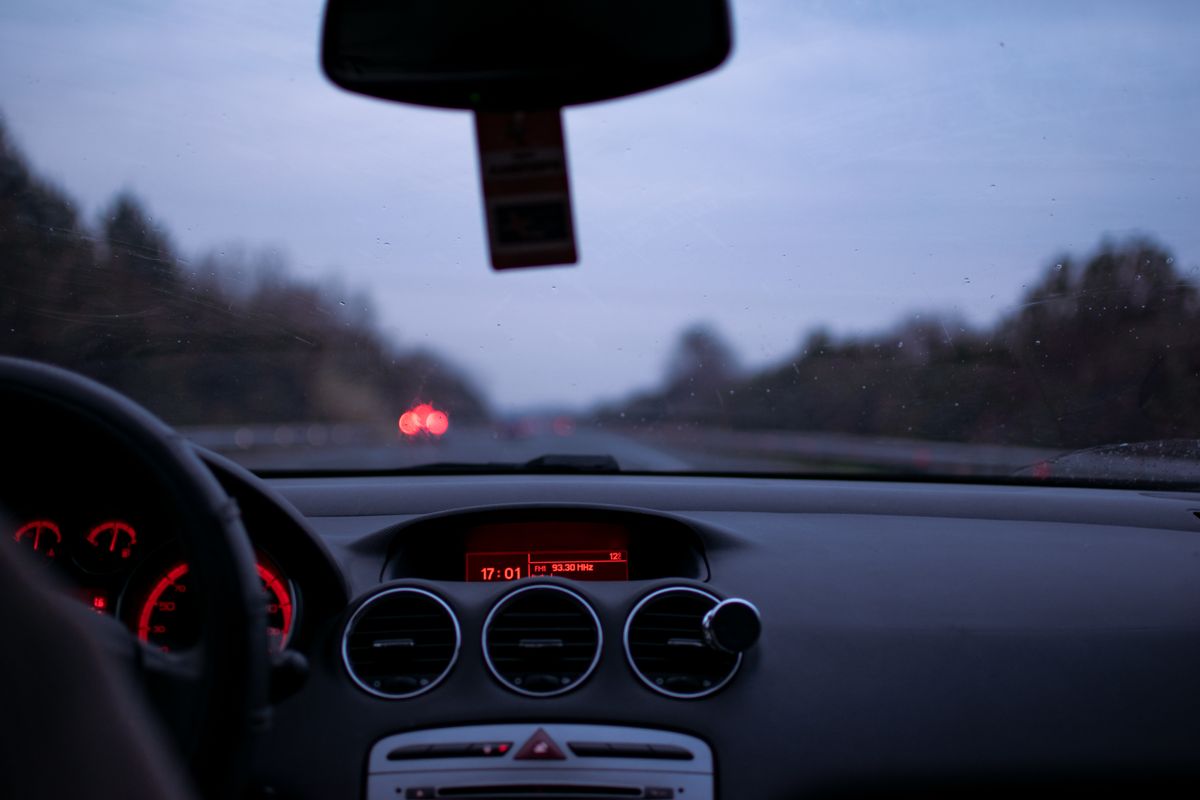
After a minor collision, the useful recording is often the one that shows where another car entered the lane—not the clip with the biggest resolution number. A compact forward-facing camera, a front-and-rear system and a cabin-recording setup solve different problems. This guide compares dash cams for night driving, daily commuting, parking incidents and rideshare use, with attention to sensor claims, wiring, storage and the extra accessories that change the real ownership experience.
These recommendations are based on published manufacturer specifications and identifiable product configurations, not hands-on road testing. Camera features and package contents can change by listing or region.
- VIOFO A229 Plus 2CH — balanced front-and-rear coverage
- VIOFO A119 Mini 2 — compact front-only recording
- VIOFO A229 Pro 2CH — detailed 4k front plus 2k rear
- Vantrue N4 Pro S — rideshare coverage with detailed rear video
- WOLFBOX G840S — mirror display and reversing visibility
How We Selected These Dash Cams
We looked for ten distinguishable models covering compact front-only recording, balanced dual-channel video, mirror displays and interior coverage. We weighed manufacturer-stated sensor and recording specifications, installation effort, storage requirements, parking-power needs and tradeoffs that affect a buyer after installation. We did not independently measure nighttime plate readability, heat endurance, collision detection or recording reliability; product claims are identified as manufacturer specifications rather than laboratory results.
Dash Cams Compared
Buying tip: A dash cam’s recorded output resolution does not, by itself, prove native sensor detail. Check the camera channels, parking-power needs and exact package contents before deciding.
| Model | Best for | Video and channels | Details / Amazon |
|---|---|---|---|
 1. VIOFO A119 Mini 2 1. VIOFO A119 Mini 2 |
Compact front-only recording | 2K 1440p / 60 fps Front |
Sony STARVIS 2; GPS; voice control View on Amazon |
 2. Garmin Dash Cam Mini 3 2. Garmin Dash Cam Mini 3 |
Minimalist, low-profile installation | 1080p / 30 fps Front |
Built-in polarizer; 140° view; voice View on Amazon |
 3. VIOFO A229 Plus 2CH 3. VIOFO A229 Plus 2CH |
Balanced front-and-rear coverage | 2K front + 2K rear Front + rear |
Dual STARVIS 2; HDR; GPS View on Amazon |
 4. VIOFO A229 Pro 2CH 4. VIOFO A229 Pro 2CH |
Detailed 4K front plus 2K rear | 4K front + 2K rear Front + rear |
Dual STARVIS 2; front CPL; GPS View on Amazon |
 5. ROVE R2-4K Dual 5. ROVE R2-4K Dual |
Convenient dual camera with card included | Upscaled 4K front + 1080p rear Front + rear |
128GB card; 3-inch screen; GPS View on Amazon |
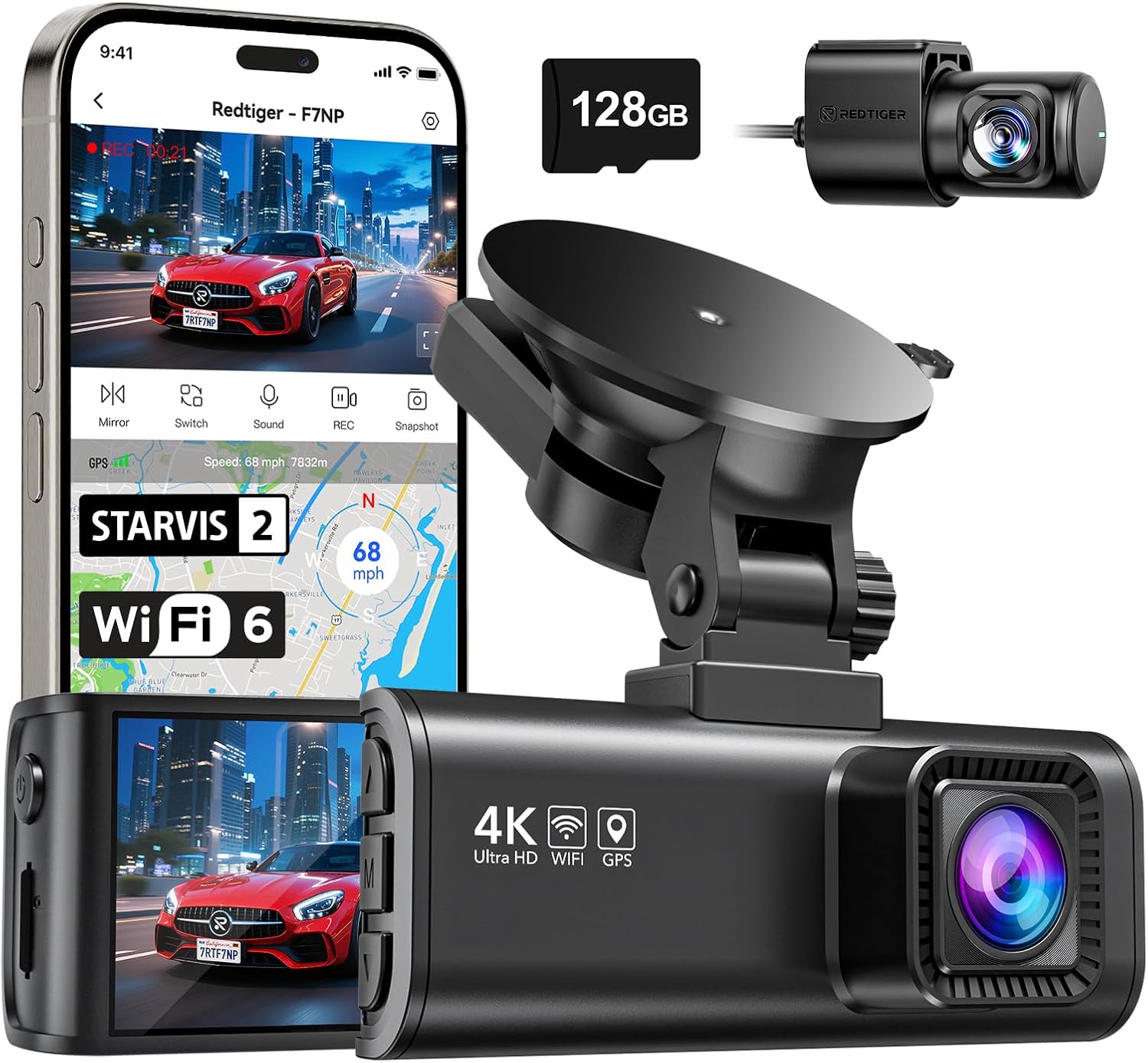 6. REDTIGER F7NP 6. REDTIGER F7NP |
Wide-angle front-and-rear driving record | 4K output front + rear camera Front + rear |
170° front view; GPS; Wi-Fi View on Amazon |
 7. WOLFBOX G840S 7. WOLFBOX G840S |
Mirror display and reversing visibility | 4K front + rear video Front + rear mirror |
12-inch display; split view; GPS View on Amazon |
 8. Vantrue N4 Pro S 8. Vantrue N4 Pro S |
Rideshare coverage with detailed rear video | 4K front + 1080p cabin + 2.5K rear Front + cabin + rear |
Triple STARVIS 2; GPS; IR cabin View on Amazon |
 9. ROVE R3 9. ROVE R3 |
Touchscreen three-camera control | 1440p front + 1080p cabin + 1080p rear Front + cabin + rear |
3-inch touch; GPS; IR cabin View on Amazon |
 10. 70mai A810 Lite 10. 70mai A810 Lite |
Value-minded 4K front and rear setup | 4K front + 1080p rear Front + rear |
GPS; Wi-Fi 6; supercapacitor View on Amazon |
Recording specifications reflect manufacturer descriptions of the identified configurations; actual footage quality depends on lighting, installation, settings and vehicle glass.
1. VIOFO A119 Mini 2 — Compact front-only recording
Check the latest price on Amazon
A crowded windshield is a good reason to choose a small camera rather than the most elaborate kit. The VIOFO A119 Mini 2 concentrates on the view ahead: its Sony STARVIS 2 IMX675 sensor supports 2560 × 1440 recording at up to 60 frames per second, while HDR is available at 30 fps. That distinction matters for a buyer weighing motion detail against challenging headlight and shadow exposure. Built-in GPS can preserve location and speed context, and voice controls reduce the need to reach toward the glass while driving.
For a commuter seeking a discreet dash cam for night driving, the single-channel design is refreshingly straightforward. Its small display is useful for basic status checks, not for studying a collision clip in detail; transferring footage is the more practical route. It cannot add a rear camera later, so decide whether a front-only record is enough before committing. Continuous parking coverage also requires a suitable hardwire setup rather than relying on the normal ignition-powered socket.
2. Garmin Dash Cam Mini 3 — Minimalist, low-profile installation
Check the latest price on Amazon
Garmin’s Mini 3 is designed for drivers who dislike having another screen in their field of view. Its 1080p recording and 140-degree field of view are modest compared with high-resolution competitors, but the built-in Clarity polarizer tackles a different problem: reflections from the dashboard and windshield. That can be more useful than a large headline pixel count when a camera sits behind glass in bright daylight. The small adhesive mount and voice commands suit a simple daily commute where the device should fade into the background.
There is a deliberate tradeoff here. With no integrated display, reviewing framing and footage means using a compatible phone or computer. Drivers hoping to capture tiny plate details at a distance should compare higher-resolution models rather than assuming all recordings will look equally sharp. Garmin offers optional connected and parking features, but ongoing power and certain remote functions have separate requirements or subscriptions. For a low-profile dash cam without a distracting screen, the Mini 3 makes more sense than it does for someone seeking maximum image detail.
3. VIOFO A229 Plus 2CH — Balanced front-and-rear coverage
Check the latest price on Amazon
If you want a dash cam front and rear without paying primarily for 4K, the VIOFO A229 Plus 2CH has a coherent specification: 2K coverage in both directions using Sony STARVIS 2 IMX675 sensors. The matching sensor approach matters because the rear view is not merely a low-resolution afterthought. Front and rear HDR, GPS logging and voice control also address common daily-driving situations. This is a useful middle ground for commuters who want evidence from a rear-end collision as well as the road ahead.
Installation is the deciding cost in time. The rear unit requires a cable routed along interior trim, and a parked vehicle needs an appropriate power arrangement for buffered event recording. A 2K/2K pair also produces more files than a single camera, so choose a memory card suitable for continuous video recording. The A229 Plus is easier to justify when balanced coverage matters more than the extra pixels of the A229 Pro. For drivers who only need a forward view, a compact single-channel unit is a simpler and less intrusive solution.
4. VIOFO A229 Pro 2CH — Detailed 4K front plus 2K rear
Check the latest price on Amazon
The A229 Pro 2CH is the step-up option for drivers who want additional detail from the forward-facing lens while retaining a substantial rear recording. VIOFO pairs a Sony STARVIS 2 IMX678 front sensor with an IMX675 rear sensor, producing 4K and 2K footage respectively. The included front polarizing filter is a practical accessory for reducing certain reflections, although it is not a guarantee that every license plate will be readable. HDR and GPS provide more useful context for mixed daylight and nighttime driving.
This model rewards a deliberate installation. Position the main unit where the mirror does not obstruct it, leave space to access its controls and card slot, and plan the rear cable path before applying adhesive. A higher-resolution front channel can consume storage faster, so a high-endurance card is sensible. The optional hardwire kit is a separate decision for parking surveillance. Choose this over the A229 Plus if forward detail is worth the premium; otherwise, the less expensive 2K/2K system is a balanced everyday purchase.
5. ROVE R2-4K Dual — Convenient dual camera with card included
Check the latest price on Amazon
A dash cam can be frustrating if the first drive is delayed by missing storage. ROVE’s R2-4K Dual includes a 128GB memory card, front and rear cameras, GPS, Wi-Fi transfer and a three-inch screen. That combination appeals to buyers who want an understandable kit without separately researching every accessory. ROVE describes the front output as upscaled 4K with 1080p from the rear, an important distinction from native 4K sensor capture. The larger screen helps with initial framing and quick incident review while parked.
For everyday commuting, the value is in the complete package rather than a claim that its front video beats every true-4K model. A rear-camera cable still needs to reach the back window, and power requirements change if you want recording after the ignition switches off. The included card is convenient, but a driver recording frequently should still follow the maker’s formatting and maintenance guidance. Choose the R2-4K Dual for approachable dual-camera ownership and supplied storage, not as a substitute for a premium high-resolution night-video system.
6. REDTIGER F7NP — Wide-angle front-and-rear driving record
Check the latest price on Amazon
Drivers who spend time on busy multilane roads may value scene coverage as much as the nominal resolution. The REDTIGER F7NP advertises a 170-degree forward view, GPS route information, app access and a rear camera. That wide view can show vehicles approaching from neighboring lanes, but it also spreads a scene across the available pixels; distant objects will not necessarily look larger or clearer. The manufacturer’s supercapacitor design is another practical detail for vehicles exposed to changing temperatures.
The F7NP is an approachable choice for someone searching for a front and rear dash cam with GPS rather than a specialized fleet system. Check where the rear lens will mount and how its cable can be concealed without interfering with airbags or trim. For parked-vehicle recording, the maker specifies an additional hardwire arrangement. The supplied storage bundle can vary by listing, so choose the exact package that includes the card if that matters. Consider this model for broad driving context and straightforward controls, while keeping expectations realistic about distant plate capture.
7. WOLFBOX G840S — Mirror display and reversing visibility
Check the latest price on Amazon
The WOLFBOX G840S solves a different problem from a discreet windshield camera: it turns the rearview-mirror area into a large screen. Its 12-inch mirror display can show the rear-camera feed, switch views or use a split-screen arrangement. That is attractive for drivers who find a conventional mirror’s view restricted by cargo, passengers or a vehicle’s rear window. The kit also records driving footage, so it combines monitoring and recording functions rather than acting only as a reversing accessory.
Fit is the central question. A mirror-style dash cam adds bulk at eye level and must sit securely over the existing mirror. Rear-camera placement and wiring determine how useful the reverse view will be; a parking guide feature should never replace checking mirrors and surroundings. A bright display can also be distracting at night if it is not adjusted thoughtfully. The G840S is the right category of product when the screen itself is the benefit. If all you need is quiet incident recording, a small dash cam behind the mirror is usually less visually intrusive.
8. Vantrue N4 Pro S — Rideshare coverage with detailed rear video
Check the latest price on Amazon
A rideshare driver needs a record of more than the road. The Vantrue N4 Pro S records the front, cabin and rear, with a stated 4K forward channel, 1080p interior channel and 2.5K rear channel. Vantrue specifies STARVIS 2 sensors and infrared cabin capability, which is relevant when passengers enter after dark. GPS context and support for larger memory cards also suit longer shifts where multiple camera streams are running at once. The three perspectives are the reason to consider this system, not simply its flagship positioning.
Cabin recording adds responsibilities. Learn local consent and audio-recording rules, explain camera use to passengers where appropriate, and decide whether audio should be enabled. Installation is more involved than a two-camera setup, particularly when routing the rear cable and selecting a constant-power solution for parking. More channels also mean more storage consumption and more footage to manage after an incident. For a private commuter with no interior-recording need, this is probably more equipment than necessary. For a rideshare or family transport use case requiring three views, the added coverage has a clear purpose.
9. ROVE R3 — Touchscreen three-camera control
Check the latest price on Amazon
The ROVE R3 puts usability first for someone who wants to check three camera angles without relying entirely on a phone. Its three-inch touchscreen sits alongside a 1440p front camera, 1080p cabin camera and 1080p rear camera. ROVE also specifies infrared illumination for the cabin, GPS logging and a supercapacitor. Those features make it worth considering for delivery drivers, family road trips and rideshare operators who want an accessible display and an interior view.
Resolution is the important comparison with the Vantrue N4 Pro S. The R3’s 1440p front channel is lower than the Vantrue’s 4K front specification, so it is not the obvious choice for a buyer prioritizing maximum forward detail. On the other hand, a touchscreen can make setup and on-device review easier. As with every interior-facing system, privacy and local audio-consent rules deserve attention before recording passengers. Parking recording still depends on an appropriate power arrangement. Choose the R3 for its hands-on controls and three-perspective layout, provided the stated video resolution fits your expectations.
10. 70mai A810 Lite — Value-minded 4K front and rear setup
Check the latest price on Amazon
The 70mai A810 Lite is a useful example of why buyers should read the recording-mode details rather than stopping at the 4K badge. Its front camera records 3840 × 2160 video, and the paired rear camera records 1080p. The manufacturer’s specification notes that frame rate changes when both cameras run together, so a shopper comparing motion smoothness should check the actual dual-channel mode. GPS, Wi-Fi 6 and a supercapacitor round out a capable everyday setup without forcing a three-camera installation.
For someone searching for a 4K dash cam front and rear on a restrained budget, the A810 Lite offers a distinct alternative to more expensive dual STARVIS 2 systems. The manufacturer identifies its front image sensor as GC8613, not the Sony sensor used in some rivals; those names should not be treated as interchangeable. Optional remote connectivity and continuous parking surveillance have additional hardware or service requirements. The best buyer is someone comfortable with app-based management who wants detailed forward recording and basic rear coverage, while understanding the compromises in frame rate and extras.
How to Choose a Dash Cam for Your Car
The right setup starts with the view you want to preserve and the effort you are willing to spend installing it. Work through these decisions before comparing prices.
Choose how many directions you need to record
A front-only dash cam records the road ahead and typically requires less wiring. Front-and-rear systems add a second viewpoint for a rear-end incident, but require a cable routed to the rear window. A three-channel dash cam for rideshare drivers adds an interior camera; consider passenger privacy and audio-consent laws before enabling it. Mirror-mounted systems such as the WOLFBOX G840S address visibility as well as recording.
Separate native image detail from the 4K label
For a dash cam for night driving, look beyond the output resolution. Sensor size, HDR mode, exposure and windshield reflections affect usable detail. Some products generate 4K-sized files from lower-resolution sensor information; that is not equivalent to a native 4K sensor. A polarizer can reduce glare, but may also reduce incoming light. Compare sample footage from reliable reviewers when image quality is your highest priority.
Plan parking mode and protect your vehicle battery
Most dash cams powered from an ignition-switched socket stop when the car turns off. A dash cam with parking mode usually needs a compatible hardwire or constant-power accessory, correct fuse placement and low-voltage protection. Installation should not compromise airbags or other vehicle wiring. If parking incidents are your main concern, budget for the power kit and consider professional installation.
Match storage to your driving and camera channels
A front-and-rear or three-channel setup writes more video than a single-camera model. Use a manufacturer-approved high-endurance microSD card, check the supported maximum capacity, and format it as directed. Learn how to lock or export an incident clip before a real event. GPS information may be helpful for context, but do not assume a camera’s speed reading or timestamp can never be inaccurate.
Check mounting, legal rules and ownership costs
Windshield-obstruction and audio-recording laws vary by location. Keep the camera away from the driver’s main sightline and do not route wires across airbag deployment areas. Also account for subscriptions, LTE accessories, replacement adhesives and rear-camera cabling. A low purchase price is less useful if the essential parking or cloud features require extras.
Related Automotive Buying Guides
A dash cam is one part of an emergency-ready vehicle. For starting trouble, see our portable car jump starter comparison; for low-pressure roadside situations, read our portable tire inflator guide. Drivers troubleshooting warning lights can also use our OBD2 scanner buying guide.
Frequently Asked Questions
Do I need a dash cam front and rear?
Not everyone does. Front-only coverage is enough for some commuters who want a basic record of the road ahead. A rear camera can add useful context for tailgating, lane changes or a rear impact. The tradeoff is more wiring, storage and installation time.
What is the best dash cam for night driving?
There is no single guaranteed winner in every lighting condition. Compare documented sensors, HDR settings and credible night-footage examples. The VIOFO A119 Mini 2, A229 Plus and A229 Pro use Sony STARVIS 2 sensors, but actual results still depend on glare, headlights, exposure and mounting.
Can a dash cam record while my car is parked?
Many can, provided they have the correct continuous-power accessory and parking settings. A hardwire kit or compatible constant-power cable is commonly required. Use low-voltage protection to reduce the risk of discharging the vehicle battery.
Is a 4K dash cam always better than a 1080p model?
No. Native sensor resolution, lens quality, HDR and exposure can matter more than the file-size label. Upscaled 4K output is not the same as a native 4K sensor. A well-positioned 1080p camera can still document an incident, although it offers less potential detail.
What should rideshare drivers consider before recording passengers?
Look for a genuine interior camera with suitable low-light capability, sufficient storage and a way to control audio. Check applicable privacy, recording-consent and platform rules, and provide notice where required. Do not assume that having a camera makes every type of recording lawful.
How much memory does a three-channel dash cam need?
The answer depends on bitrate, resolution, frame rate and how many channels record simultaneously. Choose a high-endurance card within the manufacturer’s capacity limits and test how much driving time it retains before overwriting old clips. Export important footage promptly.
Final Verdict
For most drivers who want evidence from both ends of the car, the VIOFO A229 Plus 2CH is the most balanced place to start. Choose a different design only when your specific driving situation calls for it.
- Best balanced front-and-rear system: VIOFO A229 Plus 2CH — 2K recording in both directions without requiring a premium 4K front sensor. Check Amazon offer
- Best compact front-only camera: VIOFO A119 Mini 2 — 2K 60 fps and a small footprint for drivers who do not need a rear channel. Check Amazon offer
- Best for added front detail: VIOFO A229 Pro 2CH — 4K front plus 2K rear with dual Sony sensors. Check Amazon offer
- Best for rideshare coverage: Vantrue N4 Pro S — Three views, including an infrared-capable interior camera. Check Amazon offer
- Best mirror-screen option: WOLFBOX G840S — A large rearview display for drivers who want a camera and screen together. Check Amazon offer
No dash cam can guarantee that a plate, face or incident will be captured clearly. Good placement, a healthy memory card and checking your saved clips periodically matter regardless of model.
Product Research Sources
Specifications were checked against the VIOFO documentation, Garmin Mini 3 specifications, ROVE R2-4K Dual details, ROVE R3 specifications, REDTIGER F7NP documentation, WOLFBOX G840S details, Vantrue N4 Pro S specifications, and 70mai A810 Lite documentation. Product photographs are supplied by the respective product listings. Featured photograph: Stergios Pliampas / Pexels, used under the Pexels License.
Disclosure: As an Amazon Associate, SizeThemUp earns from qualifying purchases. Prices, availability and configurations may change; review the selected product’s current offer before ordering.