When the weather turns cold, a standing desk can become the most convenient place to add movement to a workday—but only if the treadmill beneath it fits the room and the person using it. The best walking pads for a home office are not necessarily the fastest. A walking pad under a standing desk needs predictable low-speed control, enough belt space for a comfortable stride and a storage plan that does not turn every meeting into a furniture-moving project. This guide separates flat desk walkers, foldable models and incline machines so you can choose for your routine rather than a marketing headline.
Quick Picks for Different Walking Routines
TRAILVIBER X01 Auto-Incline Walking Pad — incline-focused walking.
WalkingPad P1 Foldable Walking Pad — fold-in-half storage.
MERACH NovaWalk W50 Walking Pad — roomier belt and higher stated capacity.
UREVO Smart Under-Desk Walking Pad — app-connected desk walking.
AKLUER H1-B Auto-Incline Walking Pad — handlebar and safety-key option.
How We Selected These Walking Pads
We compared published manufacturer specifications, exact model listings and independent product information, focusing on walking-surface dimensions, incline mechanisms, control options, stated user limits and realistic storage tradeoffs. These are research-based comparisons, not claims of hands-on testing or measured motor noise. Product configurations and included accessories can change, so the current offer and owner’s manual remain the final reference.
Walking Pad Comparison Chart
Buying tip: Measure both the machine’s full footprint and the usable belt; a pad that fits under furniture may still feel cramped underfoot.
| Model | Best for | Key difference | Amazon |
|---|---|---|---|
 1. TRAILVIBER X01 Auto-Incline Walking Pad 1. TRAILVIBER X01 Auto-Incline Walking Pad |
Incline-focused walking | 12% automatic incline Nine incline levels; manufacturer-stated 450 lb capacity |
Check the latest price on Amazon |
 2. MERACH NovaWalk W50 Walking Pad 2. MERACH NovaWalk W50 Walking Pad |
Roomier belt and higher stated capacity | 12% automatic incline 41.3 × 16.5 in advertised belt; 400 lb capacity |
Check the latest price on Amazon |
 3. WalkingPad P1 Foldable Walking Pad 3. WalkingPad P1 Foldable Walking Pad |
Fold-in-half storage | Flat deck; folding frame 47.24 × 16.5 in belt; 220 lb stated limit |
Check the latest price on Amazon |
 4. UREVO Smart Under-Desk Walking Pad 4. UREVO Smart Under-Desk Walking Pad |
App-connected desk walking | Flat deck; app and remote Workout tracking; compact under-desk format |
Check the latest price on Amazon |
 5. PACEROCKER 12% Auto-Incline Walking Pad 5. PACEROCKER 12% Auto-Incline Walking Pad |
Higher-intensity walking | 12% automatic incline Nine-level grade control; Bluetooth speaker |
Check the latest price on Amazon |
 6. TOPUTURE 10% Incline Walking Pad 6. TOPUTURE 10% Incline Walking Pad |
App and remote flexibility | Incline walking; app control 10% advertised incline; 300 lb stated capacity |
Check the latest price on Amazon |
 7. GOYOUTH 2-in-1 Under-Desk Treadmill 7. GOYOUTH 2-in-1 Under-Desk Treadmill |
Simple walking with music | Flat deck; Bluetooth speaker 15.75 × 41.34 in belt; 300 lb stated capacity |
Check the latest price on Amazon |
 8. AKLUER H1-B Auto-Incline Walking Pad 8. AKLUER H1-B Auto-Incline Walking Pad |
Handlebar and safety-key option | 13% auto incline; handlebar 39.5 × 15.7 in belt; 330 lb stated capacity |
Check the latest price on Amazon |
 9. UREVO 12% Auto-Incline Walking Pad 9. UREVO 12% Auto-Incline Walking Pad |
Guided incline walking | 12% automatic incline; app App-guided walking; motorized grade |
Check the latest price on Amazon |
 10. Yagud Walking Pad Treadmill 10. Yagud Walking Pad Treadmill |
Simple under-desk walking | Remote and LED readout Walking-focused compact design |
Check the latest price on Amazon |
Individual Walking Pad Reviews
1. TRAILVIBER X01 Auto-Incline Walking Pad — Incline-focused walking
A flat walking pad is convenient, but it cannot reproduce the effort of a hill. TRAILVIBER’s X01 is worth considering when you want an incline walking pad for dedicated exercise after work, rather than only a gentle pace during calls. Its advertised nine-step incline reaches 12%, and the maker lists a 450-pound maximum user weight. Those are useful selection points, not independent proof of durability or suitability for every person. The main practical advantage is changing the grade without lifting the machine or stopping to adjust a rear support. The tradeoff is a taller, more complicated unit that may not tuck beneath a low sofa. Measure the storage opening and leave space around the motor before choosing it. This is a better fit for a clear exercise corner than a crowded desk where the elevated walking surface could reduce comfortable typing height.
Best suited to: Incline-focused walking. Key configuration: 12% automatic incline. Nine incline levels; manufacturer-stated 450 lb capacity.
2. MERACH NovaWalk W50 Walking Pad — Roomier belt and higher stated capacity
For a taller walker, the width and length of the belt may matter more than a flashy console. MERACH’s NovaWalk W50 lists a 41.3-by-16.5-inch walking area and a 400-pound user limit, alongside motorized incline settings up to 12%. Those numbers give you a starting point for measuring stride room, although no belt can guarantee a natural gait for every height. Compared with a very small under-desk model, the W50 trades easier storage for a broader surface and a more workout-oriented design. It may suit a shared household where people of different sizes want to walk at separate times. Check the unit’s overall footprint as well as the belt dimensions: the outer frame, power cord, and moving clearance all count. If your primary use is typing at a desk, confirm the incline can stay fully flat during work sessions.
Best suited to: Roomier belt and higher stated capacity. Key configuration: 12% automatic incline. 41.3 × 16.5 in advertised belt; 400 lb capacity.
3. WalkingPad P1 Foldable Walking Pad — Fold-in-half storage
A compact treadmill still becomes a large object when you have nowhere to put it. The WalkingPad P1 tackles that problem with a deck that folds in half, reducing the length you need for storage after a session. The manufacturer’s published walking area is approximately 47.24 by 16.5 inches, which is generous compared with some short budget pads. The P1 is intentionally a walking machine: its stated maximum speed is 3.75 mph and its rated user capacity is 220 pounds. That lower capacity is a meaningful limit, not a minor footnote. The remote displays activity information, while optional foot-sensing control may appeal to people who dislike constant button presses. It is particularly appealing as a foldable walking pad for a small apartment, provided you can comfortably lift, unfold, and safely position its 62-pound frame.
Best suited to: Fold-in-half storage. Key configuration: Flat deck; folding frame. 47.24 × 16.5 in belt; 220 lb stated limit.
4. UREVO Smart Under-Desk Walking Pad — App-connected desk walking
When a walking pad lives beneath a standing desk, easy control matters more than maximum speed. This UREVO Smart model combines a simple flat walking deck with a remote and a companion app for recording activity. That makes it a reasonable candidate for someone who wants short, repeatable walking breaks between emails, rather than a steep workout. It is also a more straightforward shape than models with a rising incline mechanism. The tradeoff is that you give up hill simulation, and app convenience depends on phone compatibility and continued software support. Anyone seeking a quiet walking pad for video calls should remember that no motorized belt is silent: shoes, floor type, desk vibration, and pace all change the noise in a room. A headset and floor-protection mat may be more valuable than an unverified decibel claim. Test a conservative speed before combining walking with precise keyboard work.
Best suited to: App-connected desk walking. Key configuration: Flat deck; app and remote. Workout tracking; compact under-desk format.
5. PACEROCKER 12% Auto-Incline Walking Pad — Higher-intensity walking
PACEROCKER is an alternative for people who intend to use their walking pad as a short home workout, not only as background movement while working. The advertised nine-level automatic incline reaches 12%, giving you more ways to change the effort of a session without simply pushing the speed higher. A built-in Bluetooth speaker is a convenience, although it should not influence the buying decision as much as belt size, stability, and service support. The brand advertises a substantial user capacity; buyers should still check the exact listing and manual for the selected variant before ordering. Consider whether the extra grade controls will genuinely be used. If you mostly walk at a slow pace under a desk, a flatter, simpler machine may be easier to position and maintain. If you have a dedicated corner for brisk incline walks, this model’s feature mix becomes more compelling.
Best suited to: Higher-intensity walking. Key configuration: 12% automatic incline. Nine-level grade control; Bluetooth speaker.
6. TOPUTURE 10% Incline Walking Pad — App and remote flexibility
Some buyers want an incline option but also like controlling workouts from a phone. This TOPUTURE walking pad advertises a 10% incline, a remote, and app connectivity, making it a feature-rich option for mixed desk and exercise use. The product listing also states a 300-pound maximum user weight. Before choosing it, focus on how the exact offer adjusts its incline; a percentage in the title does not by itself tell you whether the grade changes automatically or requires a manual step. That difference matters if you plan to switch between level desk walking and harder sessions every day. The RGB-style display is easy to notice in product photos, but it is less important than the walking surface, belt maintenance access, and safe placement. Buyers who dislike phone setup can still evaluate the remote-based controls rather than making an app the deciding factor.
Best suited to: App and remote flexibility. Key configuration: Incline walking; app control. 10% advertised incline; 300 lb stated capacity.
7. GOYOUTH 2-in-1 Under-Desk Treadmill — Simple walking with music
GOYOUTH takes a familiar approach: a flat under-desk treadmill with a remote, basic display, and a Bluetooth speaker. The maker lists a 15.75-by-41.34-inch walking surface and a 300-pound maximum user weight. That combination may suit someone who wants a straightforward machine for walking while listening to podcasts or taking breaks from sitting. The speaker is a pleasant extra, but it is not the reason to buy a treadmill; fit and safe, predictable speed control matter much more. Compared with a folding-handle model, the low-profile shape is easier to consider for desk placement, though you still need to measure overall height and clearance. There is no automatic incline, so the appeal is consistency rather than workout variety. Also check whether the current package includes the remote and any maintenance supplies shown in the listing before you make a final decision.
Best suited to: Simple walking with music. Key configuration: Flat deck; Bluetooth speaker. 15.75 × 41.34 in belt; 300 lb stated capacity.
8. AKLUER H1-B Auto-Incline Walking Pad — Handlebar and safety-key option
If you prefer having a handhold available when starting or ending a walk, the AKLUER H1-B deserves a different kind of consideration from a bare flat pad. It includes a handlebar and safety key, and the advertised six motorized incline levels reach 13%. The maker lists a 39.5-by-15.7-inch walking surface and a 330-pound capacity. Those features can make it attractive for a dedicated walking area, but a handlebar does not turn a compact treadmill into a medical balance aid. Anyone with instability or a history of falls should seek individualized guidance rather than relying on marketing claims. The bar also affects whether the machine will fit under a desk or in storage. This model makes the most sense for shoppers who prioritize accessible controls and an incline workout, and who have enough room to position the machine safely without forcing awkward movement around furniture.
Best suited to: Handlebar and safety-key option. Key configuration: 13% auto incline; handlebar. 39.5 × 15.7 in belt; 330 lb stated capacity.
9. UREVO 12% Auto-Incline Walking Pad — Guided incline walking
UREVO’s 12% auto-incline model is aimed at buyers who want guided walking sessions and a steeper challenge than a flat desk pad provides. It pairs automatic grade changes with app features, which may help people structure short workouts instead of repeating the same speed every day. That is a different reason to buy than choosing the basic UREVO Smart model earlier in this guide: the simpler unit favors everyday desk movement, while this one favors workout variety. Before ordering, make sure the listing you select actually includes the incline range and control method you expect, because the brand sells several similarly named walking pads. The additional mechanism also means checking the machine’s total height at the steepest grade and the clearance around it. If you want only slow, level walking while typing, the more expensive incline system may not add meaningful value.
Best suited to: Guided incline walking. Key configuration: 12% automatic incline; app. App-guided walking; motorized grade.
10. Yagud Walking Pad Treadmill — Simple under-desk walking
The Yagud Walking Pad focuses on everyday walking rather than automatic hill training. Its compact layout makes it a candidate for a standing-desk setup or for light movement while watching television. The listed 2.5 HP motor, LED display and remote control support straightforward speed adjustments without relying on an app. Compared with folding-frame or motorized-incline models, the tradeoff is fewer workout features, but that may be preferable if your goal is simply getting more steps in throughout the day. Confirm that your desk is high enough for comfortable walking posture, measure the clearance needed to stow the machine, and make sure the maximum supported user weight suits your household. Amazon prices, available offers, and the supplied variant can change, so check the exact configuration before ordering.
Best suited to: Basic home-office walking. Key configuration: Remote control; LED display; compact under-desk design. Recent third-party records for ASIN B0DNZ3GPB8 showed more than 2,000 ratings and at least 4.0 stars; verify the current Amazon offer and rating count at purchase.
How to Choose a Walking Pad for Your Home Office
The right machine is the one that fits your room, your stride and your routine. Start with how you actually plan to walk, then compare the dimensions and controls that support that use.
Measure the walking belt, not just the outside frame
A compact frame can still have a short or narrow belt. Compare the usable walking length and width with your stride and the amount of side-to-side room you prefer. If you are tall, a walking pad with a longer belt can feel less restrictive than a shorter design, even when both advertise similar speeds. Measure the floor area, power-cord reach and storage space separately. Leave the clearances recommended in the owner’s manual around moving parts and walls.
Choose flat walking or a walking pad with automatic incline
For walking while typing, a flat deck is often simpler: it preserves desk clearance and reduces the number of moving mechanisms. An automatic incline can be useful for separate hill-style exercise sessions when you want more effort without raising your pace. A manual incline may require stopping to reposition the machine. Check the exact adjustment method, not merely the percentage in the product title. At a steeper grade, the top of the walking surface rises, so a desk that fits at level grade may no longer be comfortable.
Plan for noise during calls and shared-space use
Searching for a quiet walking pad for video calls makes sense, but published motor-noise numbers rarely describe the complete experience. Footsteps, shoes, belt condition, vibration through the floor and the microphone all matter. Start at a modest pace, keep the belt correctly adjusted, and use a suitable equipment mat if the manufacturer permits one. If you share walls or work above another room, placement and walking time may matter more than an advertised decibel figure.
Match capacity, controls and support to the actual user
Maximum user weight is a safety limit, not a comfort rating. Check the manufacturer’s exact capacity for the variant being sold and leave appropriate margin. If you prefer a walking pad with a handlebar for balance, consider whether the handle is sturdy, reachable and compatible with your workspace; it is not a replacement for medical mobility equipment. Check the location of emergency stops and safety keys where provided. Also review return arrangements, warranty terms and the availability of replacement remotes, since losing a dedicated remote can make some machines difficult to operate.
Consider maintenance before buying
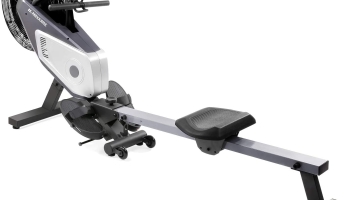
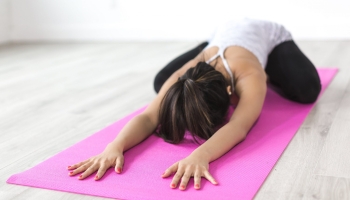
Walking belts need correct tension, alignment and cleaning. Some machines require periodic lubrication while others use different deck treatments; follow the specific manual rather than applying a generic schedule. Check whether you can access the adjustment bolts, whether the deck can be stored upright or folded, and how much the unit weighs. A foldable walking pad for a small apartment only saves space if moving and unfolding it is realistic for you. For general conditioning beyond walking, you may also want to compare rowing machines for the money, or add floor exercises with a thicker yoga mat.
Frequently Asked Questions
Can you use a walking pad under a standing desk?
Yes, if the desk provides enough height, leg clearance and stable working space. Use a slow pace when typing, keep the cord away from your feet, and make sure the machine can stop quickly. An incline may raise the deck enough to change your comfortable desk height.
What is the best foldable walking pad for a small apartment?
A fold-in-half design such as the WalkingPad P1 is worth examining when stored length is the main constraint. Check folded dimensions, unit weight and the space required to unfold it; a flat nonfolding pad may be easier to slide away if you have room under a sofa.
Is a walking pad with auto incline better than a flat model?
Not universally. Automatic incline gives you more workout variety, but a flat model is usually simpler for desk use and low storage clearance. Choose based on whether you will actually use the hill-style setting, not the highest advertised grade.
What should heavier users compare?
Start with the manufacturer’s stated weight limit for the exact model and then assess walking belt width, frame stability and warranty coverage. MERACH W50 and TRAILVIBER X01 advertise higher capacities than the WalkingPad P1, but a larger limit does not guarantee a comfortable fit for every walker.
Are walking pads quiet enough for video meetings?
They may be workable at a low speed with a headset, but noise varies with shoes, floor construction and belt maintenance. No advertised motor figure guarantees that colleagues or neighbors will not hear footsteps or vibration.
Are there any walking pad safety alerts to know about?
Yes. The U.S. Consumer Product Safety Commission warned consumers in April 2026 to stop using certain Sperax walking pads and treadmills, including Pro, Q1, RM-01 and RM-02 models, due to fall, burn and fire hazards. Those affected models are not recommended here. Review current safety notices and follow the manufacturer’s instructions before using any treadmill.
Final Verdict: Which Walking Pad Should You Choose?
For a home office that doubles as a workout space, TRAILVIBER X01 is a strong starting point if you will actually use its motorized incline. If daily storage is the bigger issue, the WalkingPad P1 offers a different advantage: a deck that folds in half.
- Best for incline workouts — TRAILVIBER X01: Nine advertised grade settings make it appealing for purposeful hill-style walks. Check the latest price on Amazon
- Best for a roomier belt — MERACH NovaWalk W50: Its listed belt dimensions are worth comparing for stride comfort. Check the latest price on Amazon
- Best for compact storage — WalkingPad P1: Folding construction reduces the length needed when it is put away. Check the latest price on Amazon
- Best for straightforward desk walking — UREVO Smart: A flat deck, remote and app make it a practical low-speed candidate. Check the latest price on Amazon
- Best with a handhold — AKLUER H1-B: Consider its handlebar and safety-key arrangement if those features suit your setup. Check the latest price on Amazon
For walkers who also need supportive everyday footwear, our guide to shoes for balance concerns covers a separate purchasing decision. Footwear alone does not make treadmill use safe for someone with instability.
Sources and Further Reading
Manufacturer information: KingSmith WalkingPad P1 specifications, Sunny Health & Fitness walking-pad guidance, and UREVO walking-pad product information. For important safety context, read the U.S. Consumer Product Safety Commission’s walking-pad warning.
Disclosure: As an Amazon Associate, SizeThemUp earns from qualifying purchases. Product features, prices, availability and included accessories may change; review the current listing before ordering. Product images are provided through authorized product listings; featured photo: Curtis Adams / Pexels.